


Are you ready to supercharge your web development? Imagine coding, collaborating, and deploying your projects seamlessly, all within your browser. That’s the power of Replit Node JS. This dynamic combination offers an unparalleled environment for building everything from simple scripts to complex web applications. Forget tedious local setups and intricate deployment pipelines. Dive into a world where your ideas transform into reality with lightning speed and incredible ease. Join a global community of developers embracing the future of cloud-native development!
- Understanding Replit: The Collaborative Cloud IDE
- What is Node.js and Why It Matters for Modern Web Development
- Getting Started with Replit Node JS: Your First Project
- Setting Up Your Replit Node JS Development Environment
- Installing and Managing npm Packages on Replit
- Building a Simple Web Server with Express.js on Replit
- Working with Databases in Replit Node JS Projects
- Integrating MongoDB Atlas with Replit
- Using SQLite for Local Data Storage in Replit
- Handling Environment Variables Securely in Replit Node JS
- Debugging Your Node JS Applications Directly on Replit
- Deploying and Sharing Your Replit Node JS Projects
- Advanced Features for Replit Node JS: Always On and Custom Domains
- Always On
- Custom Domains
- Best Practices for Efficient Replit Node JS Development
- Common Challenges and Troubleshooting Replit Node JS Issues
- Real-World Use Cases for Replit Node JS in Action
- The Future of Cloud-Based Node JS Development with Replit
- Frequently Asked Questions
Understanding Replit: The Collaborative Cloud IDE
Replit isn’t just another online code editor; it’s a complete, collaborative cloud IDE designed for modern developers. Think of it as your entire development workstation, accessible from any device, anywhere. It removes the friction of configuring environments, letting you focus purely on writing fantastic code.
Here’s what makes Replit stand out:
- Instant Setup: Spin up new projects in seconds with pre-configured environments for virtually any language, including replit js.
- Real-time Collaboration: Work alongside teammates on the same project, seeing changes in real-time. It’s like Google Docs for code!
- Built-in Hosting: Your projects are automatically hosted and accessible via a public URL, making sharing and showcasing incredibly easy.
- Integrated Tools: Enjoy a comprehensive suite of tools right in your browser – from powerful debugging to version control.
- Cross-Platform Freedom: Develop on your laptop, tablet, or even your phone. Your work is always in sync and ready.

Embrace the freedom of developing in the cloud with replit online, and watch your productivity soar.
What is Node.js and Why It Matters for Modern Web Development
Node.js revolutionized web development by allowing JavaScript to run on the server side. Before Node.js, JavaScript primarily powered client-side interactions in browsers. Now, with Node.js, you can use a single language across your entire application stack, from front-end to back-end. This unified approach simplifies development and boosts efficiency significantly.
Why is Node.js so crucial for modern web projects?
- Unifies Language: Develop your entire application with JavaScript, reducing context switching and streamlining your team’s skillset.
- High Performance: Built on Chrome’s V8 JavaScript engine, Node.js boasts non-blocking, event-driven architecture, making it incredibly fast and scalable for real-time applications.
- Massive Ecosystem: Access npm (Node Package Manager), the world’s largest software registry, offering millions of open-source libraries to accelerate your development.
- Scalability: Perfect for building microservices and APIs, Node.js handles a large number of concurrent connections with ease.
Pairing Node.js with an environment like node replit means you get all these benefits without any local setup hassles.
Getting Started with Replit Node JS: Your First Project
Ready to jump into coding with Replit Node JS? Starting your first project is incredibly simple and takes just a few clicks. You’ll be writing and running JavaScript on the server in no time, all within your browser.
Follow these quick steps to launch your first Node.js project:
- Visit Replit: Head over to the Replit website and sign in or create a free account.
- Create a New Repl: Click the “+ Create Repl” button, usually found in the top left corner of your dashboard.
- Select “Node.js”: In the template selection dialog, search for and choose the “Node.js” template. Replit automatically configures the environment for you.
- Name Your Project: Give your new Repl a descriptive name (e.g., “MyFirstNodeApp” or “HelloReplitNodeJS”).
- Click “Create Repl”: Replit provisions your new workspace instantly.
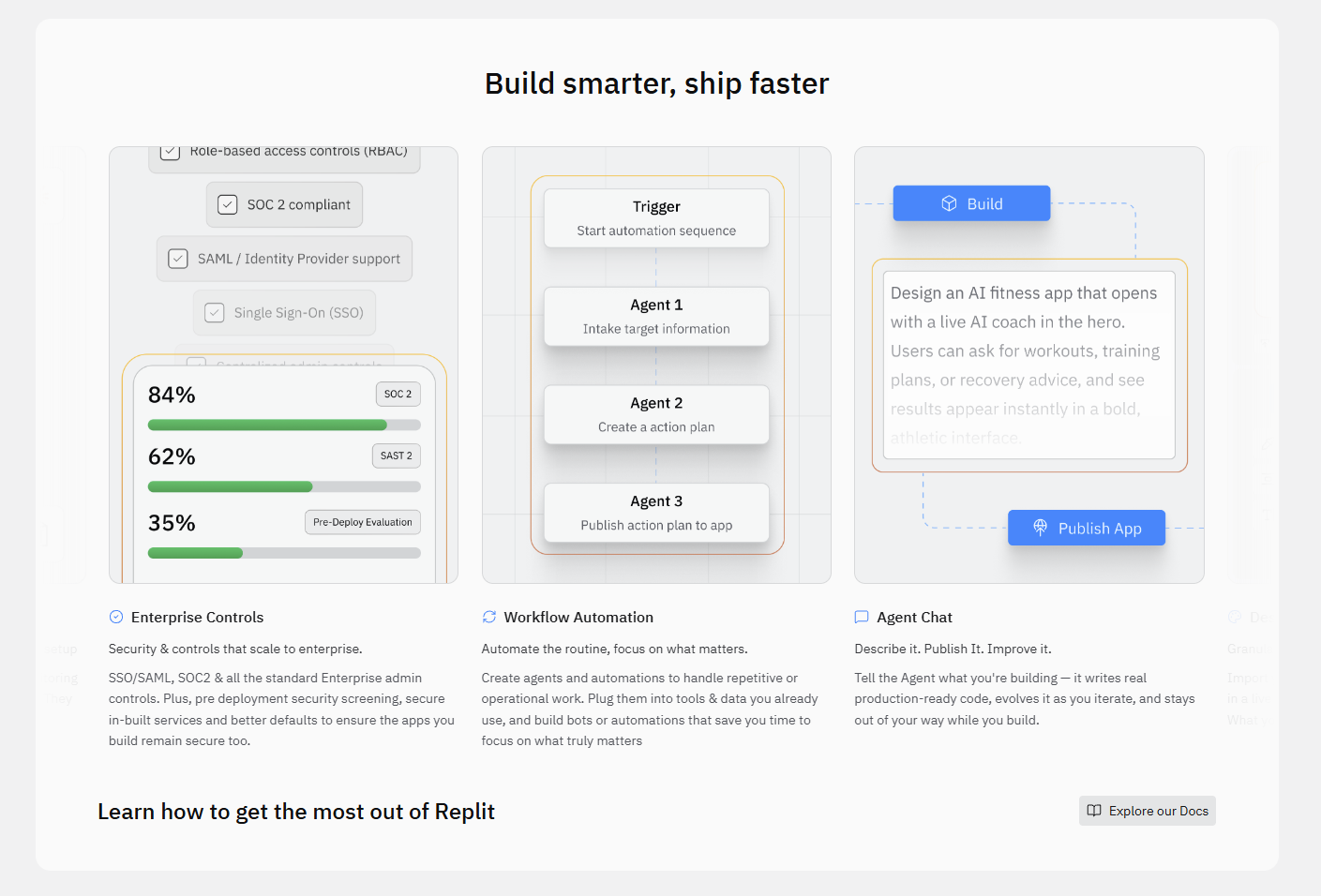
Now you have a fresh Replit Node JS environment ready! You’ll see an index.js file open in the editor. This is where your Node.js journey begins.
Setting Up Your Replit Node JS Development Environment
While Replit handles most of the heavy lifting, understanding your Replit Node JS environment helps you maximize its potential. Replit provides a robust and intuitive interface, pre-configured for optimal Node.js development.
Here’s a breakdown of what you’ll find:
- Code Editor: A powerful, browser-based editor with syntax highlighting, auto-completion, and multi-file support.
- Shell/Console: An integrated terminal where you run commands, install packages, and view output. This is your direct interface with the underlying Linux environment.
- Files Pane: Easily navigate, create, and manage your project files and directories.
- Output Pane: See the results of your code execution, server logs, or any web output directly in the browser. This pane also hosts the live preview of your web application.
- Secrets Tab: A secure place to store environment variables (more on this later!).
Replit automatically installs Node.js and npm when you create a replit node js project, so you don’t need to worry about manual installations. You’re set up for success from the start!
Installing and Managing npm Packages on Replit
One of the greatest strengths of Node.js is its vast package ecosystem, accessible via npm (Node Package Manager). Replit makes installing and managing these packages incredibly simple for your Replit Node JS projects.
You have two primary ways to handle npm packages:
- Using the Shell: Open the Shell pane in your Replit workspace. Use standard npm commands just like you would locally:
npm install <package-name>: Install a new package. For example,npm install express.npm install: Install all dependencies listed in yourpackage.jsonfile.npm update: Update existing packages.npm uninstall <package-name>: Remove a package.
- Using the
package.jsonFile: Replit monitors yourpackage.jsonfile. If you manually add a dependency to thedependenciesordevDependenciessection and save the file, Replit often detects the change and automatically runsnpm installfor you. This is a seamless way to manage your project’s requirements.
All installed packages reside in the node_modules directory within your Repl, just as they would in a local setup. Replit handles the caching and optimization, ensuring fast setup times.
Building a Simple Web Server with Express.js on Replit
Let’s put Replit Node JS into action by building a basic web server. We’ll use Express.js, a minimalist and flexible Node.js web application framework, perfect for getting started quickly.
Here’s how to create your first web server:
- Install Express.js:
Open the Shell tab and run:
npm install express - Create Your Server File:
In your
index.jsfile (or create a new file likeserver.js), add the following code:const express = require('express'); const app = express(); const port = 3000; // Replit often uses port 3000 by default, but you can also use process.env.PORT app.get('/', (req, res) => { res.send('Hello from Replit Node JS Server!'); }); app.listen(port, () => { console.log(`Server running at http://localhost:${port}`); console.log('Access your server via the Replit web output pane!'); }); - Run Your Application:
Click the “Run” button at the top of the Replit interface. Replit executes your
index.jsfile (or whichever file yourpackage.jsonspecifies as the main script).
You’ll see “Server running…” in the console, and a live preview of your web server’s output will appear in the web output pane, displaying “Hello from Replit Node JS Server!”. Congratulations, you’ve just built and deployed your first node replit web server!
Working with Databases in Replit Node JS Projects
Nearly every dynamic web application needs a database to store and retrieve information. Integrating databases into your Replit Node JS projects is straightforward, whether you prefer cloud-hosted solutions or local file-based storage. Replit provides the flexibility to connect to various database types, ensuring your application has the data persistence it needs.
Key considerations when integrating databases:
- Connection Strings: Safely manage your database connection URLs and credentials using Replit’s Secrets feature.
- Client Libraries: Use appropriate npm packages (e.g.,
mongodb,mysql2,sqlite3,mongoose,sequelize) to interact with your chosen database from your Node.js code. - Cloud vs. Local: Decide if a remote, managed database or a simple file-based database best suits your project’s scale and requirements.
The next sections explore specific database integration examples that seamlessly work with replit node js.
Integrating MongoDB Atlas with Replit
MongoDB Atlas offers a powerful, fully managed NoSQL database service in the cloud. Integrating it with your Replit Node JS project provides a robust and scalable data solution without the overhead of self-hosting. This is perfect for production-grade applications.
Here’s a simplified process for connecting:
- Create a MongoDB Atlas Cluster: Sign up for MongoDB Atlas and set up a free tier cluster. Configure network access to allow connections from anywhere (for easy Replit integration) or specific IP addresses if you use an “Always On” Replit plan.
- Create a Database User: Set up a dedicated database user with a strong password for your application.
- Get Your Connection String: From your Atlas dashboard, obtain the connection string for your cluster. It typically looks like
mongodb+srv://<username>:<password>@<cluster-url>/<dbname>?retryWrites=true&w=majority. - Store Connection String in Replit Secrets: Go to the “Secrets” tab in your Replit workspace. Add a new secret with a key like
MONGO_URIand paste your full connection string as the value. Remember to replace<username>and<password>with your actual database user credentials. - Install MongoDB Driver: In your Replit Node JS project’s shell, run:
npm install mongodb(ornpm install mongooseif you prefer an ODM). - Connect in Your Code: Use the
MONGO_URIenvironment variable to connect from your Node.js application:const { MongoClient } = require('mongodb'); const uri = process.env.MONGO_URI; async function connectToMongo() { const client = new MongoClient(uri); try { await client.connect(); console.log("Connected to MongoDB Atlas!"); // Perform database operations here const database = client.db("yourDatabaseName"); const collection = database.collection("yourCollection"); await collection.insertOne({ message: "Hello from Replit!" }); console.log("Document inserted!"); } finally { await client.close(); } } connectToMongo().catch(console.dir);
This setup securely connects your node replit app to a powerful cloud database.
Using SQLite for Local Data Storage in Replit
For simpler projects or those not requiring a remote database, SQLite offers a fantastic lightweight, file-based solution. It’s perfect for local data storage directly within your Replit Node JS project, eliminating external dependencies and simplifying deployment.
Here’s how to get started with SQLite in Replit:
- Install SQLite3 Driver:
Open the Shell tab in your Replit workspace and run:
npm install sqlite3 - Create Your Database File:
SQLite databases are simply files. You can create one in your Replit Node JS project, for example,
mydatabase.db. If the file doesn’t exist, SQLite will create it for you when you connect. - Interact with SQLite in Your Code:
Add code similar to this in your Node.js file:
const sqlite3 = require('sqlite3').verbose();
const db = new sqlite3.Database('./mydatabase.db', (err) => {
  if (err) {
    return console.error(err.message);
  }
  console.log('Connected to the SQLite database.');
});

// Create a table (if it doesn't exist)
db.run(`CREATE TABLE IF NOT EXISTS users (
  id INTEGER PRIMARY KEY AUTOINCREMENT,
  name TEXT NOT NULL,
  email TEXT UNIQUE
)`, (err) => {
  if (err) {
    console.error(err.message);
  }
  console.log('Users table created or already exists.');

  // Insert some data
  const stmt = db.prepare("INSERT INTO users (name, email) VALUES (?, ?)");
  stmt.run("Alice", "[email protected]");
  stmt.run("Bob", "[email protected]");
  stmt.finalize();

  // Query data
  db.each("SELECT id, name, email FROM users", (err, row) => {
    if (err) {
      console.error(err.message);
    }
    console.log(`User ID: ${row.id}, Name: ${row.name}, Email: ${row.email}`);
  });
});

// Close the database connection when done (important in real apps)
// In a server, you'd keep it open and close on shutdown.
// db.close((err) => {
//   if (err) {
//     return console.error(err.message);
//   }
//   console.log('Closed the database connection.');
// });
Run your Replit Node JS application, and watch SQLite create the database file and interact with it. This method is incredibly convenient for small to medium-sized projects or when you need quick local persistence.
Handling Environment Variables Securely in Replit Node JS
Never hardcode sensitive information like API keys, database credentials, or secret tokens directly into your code. This is a critical security best practice. Replit Node JS provides a robust and secure way to manage these sensitive details through environment variables using its “Secrets” feature.
Here’s why Replit’s Secrets are a game-changer:
- Security: Secrets are encrypted and not visible in your public code, protecting your sensitive data from exposure.
- Flexibility: Easily change keys without modifying your code. Ideal for moving between development and production environments.
- Simplicity: Access them in your Node.js code via
process.env.<YOUR_SECRET_NAME>, just like standard environment variables.
To use Replit Secrets:
- Navigate to the Secrets Tab: In your Replit workspace, click the padlock icon on the left sidebar.
- Add a New Secret: Enter a “Key” (e.g.,
API_KEY,DATABASE_URL,JWT_SECRET) and paste its corresponding “Value”. - Access in Code: In your Replit Node JS application, access these variables like this:
const myApiKey = process.env.API_KEY;
const dbConnection = process.env.DATABASE_URL;

console.log("My API Key (only for demonstration, do not log real secrets!):", myApiKey);
Always remember to restart your Repl after adding or modifying secrets for the changes to take effect in your running Node.js application.
Debugging Your Node JS Applications Directly on Replit
Debugging is an essential part of the development process, and Replit Node JS offers powerful, integrated debugging tools that rival local IDEs. You can identify and fix issues in your Node.js applications directly within the browser, saving you time and frustration.
Here’s how to leverage Replit’s debugging capabilities:
- Breakpoints: Click on the line number in your code editor to set a breakpoint. When your code executes and reaches that line, it will pause.
- Debugger Pane: A dedicated “Debugger” tab appears, showing you the current state of your application. You’ll see:
- Variables: Inspect the values of local and global variables at the current execution point.
- Call Stack: Trace the sequence of function calls that led to the current breakpoint.
- Watch Expressions: Add specific variables or expressions to monitor their values as you step through your code.
- Step Controls: Use the controls in the debugger pane to:
- Continue: Resume execution until the next breakpoint or the end of the program.
- Step Over: Execute the current line and move to the next, stepping over function calls.
- Step Into: Enter a function call to debug its internal logic.
- Step Out: Finish executing the current function and return to the calling function.
- Console Integration: Your regular console logs (
console.log()) still appear in the main console, providing additional context during debugging.
With these tools, troubleshooting complex replit node js code becomes a streamlined and efficient process.
Deploying and Sharing Your Replit Node JS Projects
One of the most compelling advantages of developing with Replit Node JS is the seamless deployment and sharing process. Replit automatically hosts your projects, making them instantly accessible online without any complex configurations or external hosting providers.
Here’s what you need to know about deployment and sharing:
- Instant Public URL: Every active Replit Node JS project automatically receives a unique public URL. You can find this URL in the web output pane or by clicking the “Open in new tab” icon. Share this link with anyone, and they can see your live application.
- Always On (Paid Feature): By default, free Replit projects go to sleep after some inactivity. For continuous uptime and professional-grade hosting, consider upgrading to a Hacker Plan or above to enable the “Always On” feature. This keeps your node replit application running 24/7.
- Embedding: Replit allows you to embed your running projects directly into websites or blogs using an iframe. This is perfect for portfolios or interactive tutorials.
- Version Control Integration: Connect your Replit projects to GitHub repositories for robust version control, collaboration, and external deployment pipelines if needed.
- Exporting: If you ever need to move your project, you can easily download your entire workspace as a zip file.
From development to deployment, Replit Node JS streamlines the entire lifecycle, letting you focus on building amazing things and sharing them with the world.
Advanced Features for Replit Node JS: Always On and Custom Domains
While Replit Node JS provides fantastic free capabilities, its advanced features truly elevate your projects to a professional level. For mission-critical applications or to establish a stronger brand presence, “Always On” and custom domains become indispensable.
Always On
By default, free Replit Node JS projects “sleep” after a period of inactivity to conserve resources. This means they might take a few seconds to “wake up” when someone accesses them again. The “Always On” feature eliminates this latency:
- 24/7 Availability: Your node replit application remains active and responsive around the clock, just like a professionally hosted service.
- Consistent Performance: Users experience immediate access without any cold start delays.
- Ideal for Production: Essential for APIs, web services, or any application requiring continuous uptime.
Enable “Always On” via your Repl’s settings, typically available with a Replit Hacker plan or higher.
Custom Domains
Using Replit’s default replit.dev subdomain is great for development, but a custom domain enhances your credibility and branding:
- Professional Branding: Give your Replit Node JS application a unique, memorable web address (e.g.,
www.yourproject.com). - Enhanced SEO: A custom domain can contribute positively to your site’s search engine optimization.
- Easy Setup: Replit provides a straightforward interface to connect your purchased domain to your project. You’ll typically update DNS records (CNAME and A records) with your domain registrar to point to Replit’s servers.
These advanced features empower you to deploy and showcase your Replit Node JS applications with the professionalism they deserve.
Best Practices for Efficient Replit Node JS Development
Maximizing your efficiency with Replit Node JS involves adopting smart coding and project management habits. Follow these best practices to build robust, maintainable, and high-performing applications within the cloud IDE.
Code & Project Structure:
- Modularize Your Code: Break down your application into smaller, reusable modules (e.g., separate files for routes, controllers, services). This keeps your Node.js code organized and easier to debug.
- Consistent Naming: Use clear, consistent naming conventions for files, variables, and functions.
- Optimize
package.json: Keep yourpackage.jsonlean. Only include necessary dependencies to reduce build times and resource usage. Use--save-devfor development-only packages.
Replit-Specific Tips:
- Utilize Secrets: Always store sensitive information in Replit Secrets (environment variables) instead of hardcoding them. This protects your credentials and allows easy configuration changes.
- Monitor Resources: Keep an eye on your Repl’s resource usage (CPU, RAM). Optimize your Replit Node JS code to be efficient, especially for free plans.
- Leverage Version Control: Connect your Repl to a GitHub repository. This provides external backups, version history, and facilitates team collaboration beyond Replit’s built-in features.
- Backup Your Code: Regularly commit and push your changes to an external Git repository. While Replit is robust, external backups offer extra peace of mind.
Adhering to these practices ensures a smoother, more productive development journey with replit node js.
Common Challenges and Troubleshooting Replit Node JS Issues
Even with the convenience of Replit Node JS, you might occasionally encounter issues. Knowing how to troubleshoot effectively saves you time and keeps your development flow smooth. Here are some common challenges and practical solutions:
1. “Cannot find module” errors:
- Cause: You likely forgot to install a required npm package, or there’s a typo in the package name.
- Solution: Open the Shell and run
npm install <package-name>. Ensure the package is listed inpackage.json.
2. Repl not starting or unexpected exit:
- Cause: Syntax errors in your Node.js code, incorrect start command, or a missing
package.json"main"entry. - Solution:
- Check the console output for specific error messages and line numbers.
- Verify your
package.jsonhas a"main"entry pointing to your primary script (e.g.,"main": "index.js"). - Ensure your start command in
.replitfile is correct (e.g.,run = "node index.js").
3. Environment variables not loading:
- Cause: You might not have restarted the Repl after adding or modifying secrets.
- Solution: Stop and then re-run your Replit Node JS application. Double-check variable names for typos.
4. Slow performance or resource limits:
- Cause: Your node replit application might be resource-intensive, or you’re on a free plan with lower limits.
- Solution: Optimize your code, ensure efficient loops and database queries. Consider upgrading to an “Always On” plan for dedicated resources if performance is critical.
5. Web output not updating or showing old content:
- Cause: The browser cache might be showing an old version, or your server isn’t correctly restarting.
- Solution: Hard refresh the web output pane (Ctrl+Shift+R or Cmd+Shift+R). Ensure your Replit Node JS server process correctly terminates and restarts on code changes.
Remember, the console output is your best friend when troubleshooting. Read error messages carefully!
Real-World Use Cases for Replit Node JS in Action
Replit Node JS isn’t just for learning; it’s a powerful platform for building and deploying a wide array of real-world applications. Its flexibility and cloud-native approach make it suitable for diverse projects, from personal tools to professional prototypes.
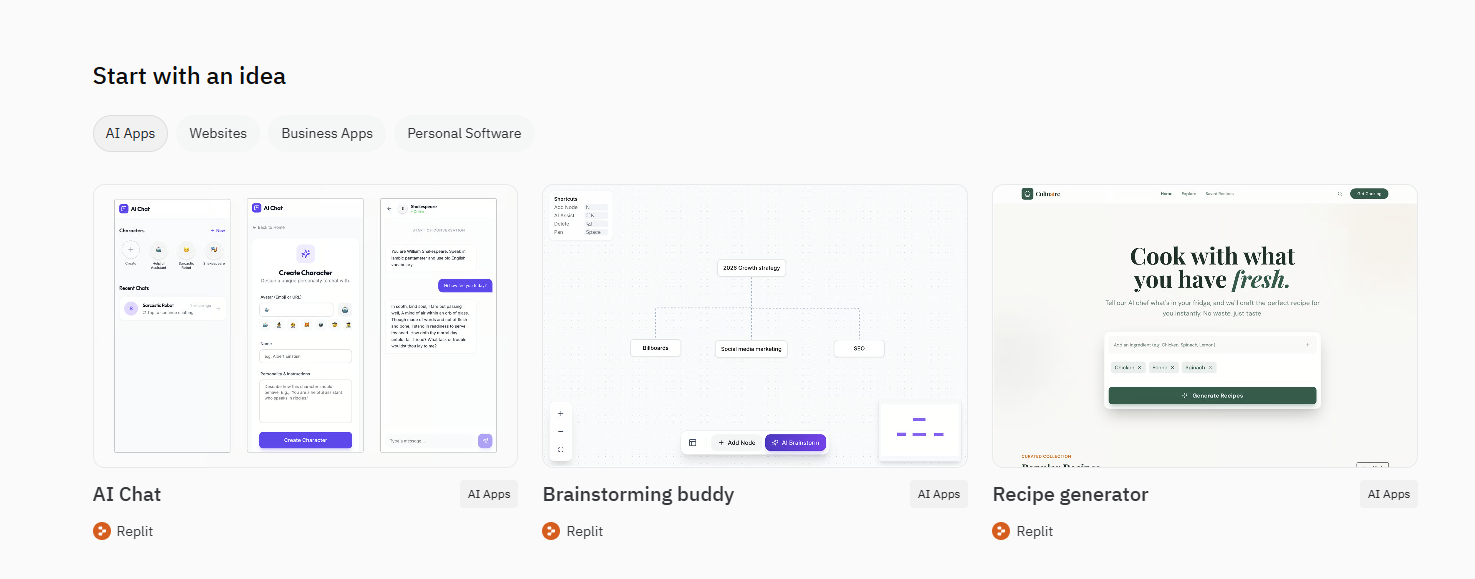
Here are just a few examples of how developers put Replit Node JS to work:
- Rapid API Development: Quickly prototype and deploy RESTful APIs for mobile apps, front-end frameworks (like React or Vue), or microservices. The instant deployment nature of node replit means you get a live endpoint in minutes.
- Bots and Automation: Build Discord bots, Telegram bots, or scripts to automate tasks. Node.js excels at asynchronous operations, perfect for interacting with external APIs and real-time events.
- Interactive Web Applications: Develop full-stack web applications using popular frameworks like Express.js, integrating with databases or external services. The live preview facilitates rapid iteration.
- Data Processing & Scraping: Write scripts to fetch, parse, and process data from various sources, making it accessible for analysis or display.
- Educational Tools & Tutorials: Create interactive coding examples, shareable lessons, or environments for workshops. The collaborative features are invaluable for teaching.
- Personal Portfolio Sites: Host dynamic portfolio websites that fetch content from a headless CMS or custom API.
The ease of use and instant accessibility of replit node js empower you to bring your creative ideas to life without traditional setup hurdles.
The Future of Cloud-Based Node JS Development with Replit
The landscape of software development constantly evolves, and cloud-based platforms like Replit are at the forefront of this transformation. The future of Replit Node JS development points towards even greater accessibility, collaboration, and efficiency, democratizing powerful tools for developers worldwide.
Expect to see:
- Enhanced AI Integration: Deeper integration of AI coding assistants, making Node.js development even faster and smarter. AI tools will help with code generation, debugging, and optimization within the Replit environment.
- Serverless & Edge Computing: More seamless integration with serverless functions and edge computing paradigms, allowing Replit Node JS applications to run closer to users for ultimate performance and scalability.
- Richer Ecosystem: Continued expansion of Replit’s integrated tools and services, including more sophisticated database integrations, testing frameworks, and deployment options.
- Advanced Collaborative Features: Further innovations in real-time co-coding, pair programming, and project management functionalities specifically tailored for distributed teams working on replit node js projects.
- Platform Ubiquity: The ability to develop and deploy complex node replit applications from virtually any device, solidifying the browser as the primary development environment.
Replit is not just simplifying current workflows; it’s actively shaping how the next generation of developers will build, collaborate, and innovate with Node.js in the cloud. Join this exciting journey and be part of the future!
Frequently Asked Questions
What is Replit and why is it beneficial for developers?
Replit is a collaborative cloud IDE that provides an entire development workstation accessible from any device. It offers instant project setup, real-time collaboration, built-in hosting, integrated tools, and cross-platform freedom, allowing developers to focus purely on coding without environmental setup hassles.
How does Node.js enhance modern web development?
Node.js allows JavaScript to run on the server side, unifying the language across the entire application stack. It offers high performance due to its non-blocking, event-driven architecture, boasts a massive ecosystem via npm, and is highly scalable, making it crucial for real-time applications and microservices.
How can one install npm packages in a Replit Node JS project?
npm packages can be installed via the Shell pane using standard commands like npm install <package-name>, or by manually adding dependencies to the package.json file. Replit automatically detects changes in package.json and runs npm install for you.
What is the recommended way to handle sensitive information like API keys in Replit Node JS?
Sensitive information should never be hardcoded. Replit’s “Secrets” feature (accessed via the padlock icon) provides a secure way to store environment variables like API keys or database credentials, making them accessible in Node.js code via process.env.<YOUR_SECRET_NAME> without being visible in public code.
What are the advantages of Replit’s “Always On” feature and custom domains for Node JS projects?
The “Always On” feature ensures 24/7 availability and consistent performance for your Node JS application by preventing it from “sleeping” due to inactivity, which is ideal for production. Custom domains enhance professional branding, improve SEO, and provide a unique, memorable web address for your project.