


- What is Replit and Its Core Features?
- Understanding React.js: A Powerful JavaScript Library
- Why Combine Replit with React? Key Advantages
- Setting Up Your First Replit React Project
- Initializing a New React Template
- Exploring the Replit Workspace Layout
- Developing Components in Replit React
- Managing Dependencies and npm Packages
- Debugging Your React Application in Replit
- Version Control and Collaboration Features
- Version Control:
- Collaboration:
- Deploying Your Replit React App to Production
- Simple Hosting Options
- Custom Domain Integration
- Advanced Tips for Replit React Performance
- Integrating APIs and External Services
- Common Challenges and Solutions with Replit React
- Challenge: Dependency Installation Issues
- Challenge: Environment Variable Access
- Challenge: Slow Loading/Performance
- Challenge: Web View Not Updating
- Building a Portfolio Project with Replit React
- The Future of Cloud-Native React Development
- Replit React: Best Practices for Clean Code
- Frequently Asked Questions
What is Replit and Its Core Features?
Replit stands as an innovative online integrated development environment (IDE). It offers a complete coding environment right in your browser. Imagine writing, running, and deploying code without installing a single thing on your machine. That’s Replit.
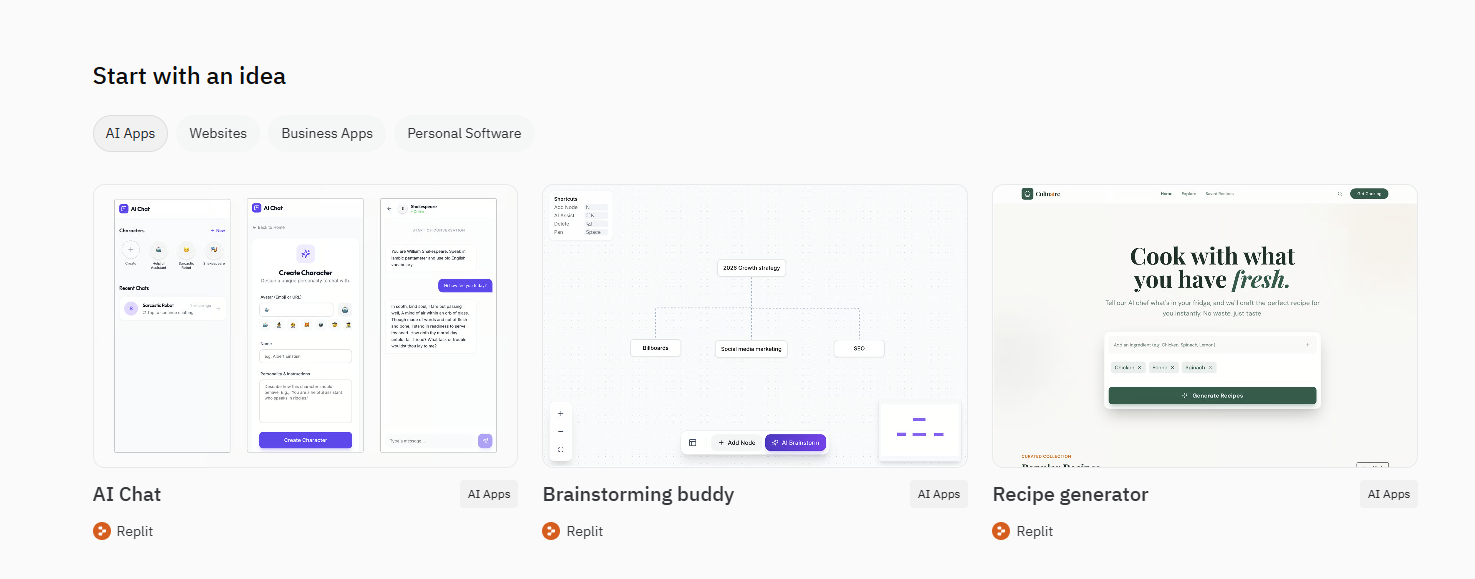
Key features that set Replit apart:
- Instant Setup: Start coding immediately. Replit handles all dependencies and configurations for over 50 languages and frameworks, including a robust environment for replit js.
- Real-time Collaboration: Work with teammates on the same project simultaneously. See their cursor movements, chat, and code together in real time, making pair programming or team projects incredibly efficient.
- Cloud Hosting: Every project, or "repl," automatically gets a live URL. This means you can share your work instantly and show off your replit web creations to anyone, anywhere.
- Integrated Development Tools: Enjoy a comprehensive suite of tools, including a file explorer, powerful code editor, console output, and a built-in browser for previewing your applications.
- Version Control: Keep track of your changes with Replit’s history feature or integrate with Git for more advanced version management.
Understanding React.js: A Powerful JavaScript Library
React.js is a front-end JavaScript library. Facebook developed and maintains it. Its primary goal? Building user interfaces, specifically single-page applications. React excels at creating interactive and dynamic web experiences.
What makes React so powerful?
- Component-Based Architecture: You build UIs from small, isolated, reusable pieces called components. Each component manages its own state, making complex UIs easier to understand and maintain.
- Declarative Views: React lets you describe how your UI should look for any given state. It then efficiently updates and renders just the right components when your data changes. This simplifies debugging and makes your code more predictable.
- Virtual DOM: Instead of directly manipulating the browser’s DOM, React uses a virtual representation. When data changes, React calculates the most efficient way to update the real DOM, leading to superior performance.
- "Learn Once, Write Anywhere": React isn’t just for web browsers. You can use React Native for mobile app development and even other platforms, expanding your reach.
Developers love React for its efficiency, flexibility, and the vibrant community supporting it. It’s a cornerstone for modern replit web development.
Why Combine Replit with React? Key Advantages
Bringing Replit and React together unlocks a new level of productivity and ease. This combination streamlines your entire development lifecycle. You gain significant advantages that traditional local setups simply cannot match.
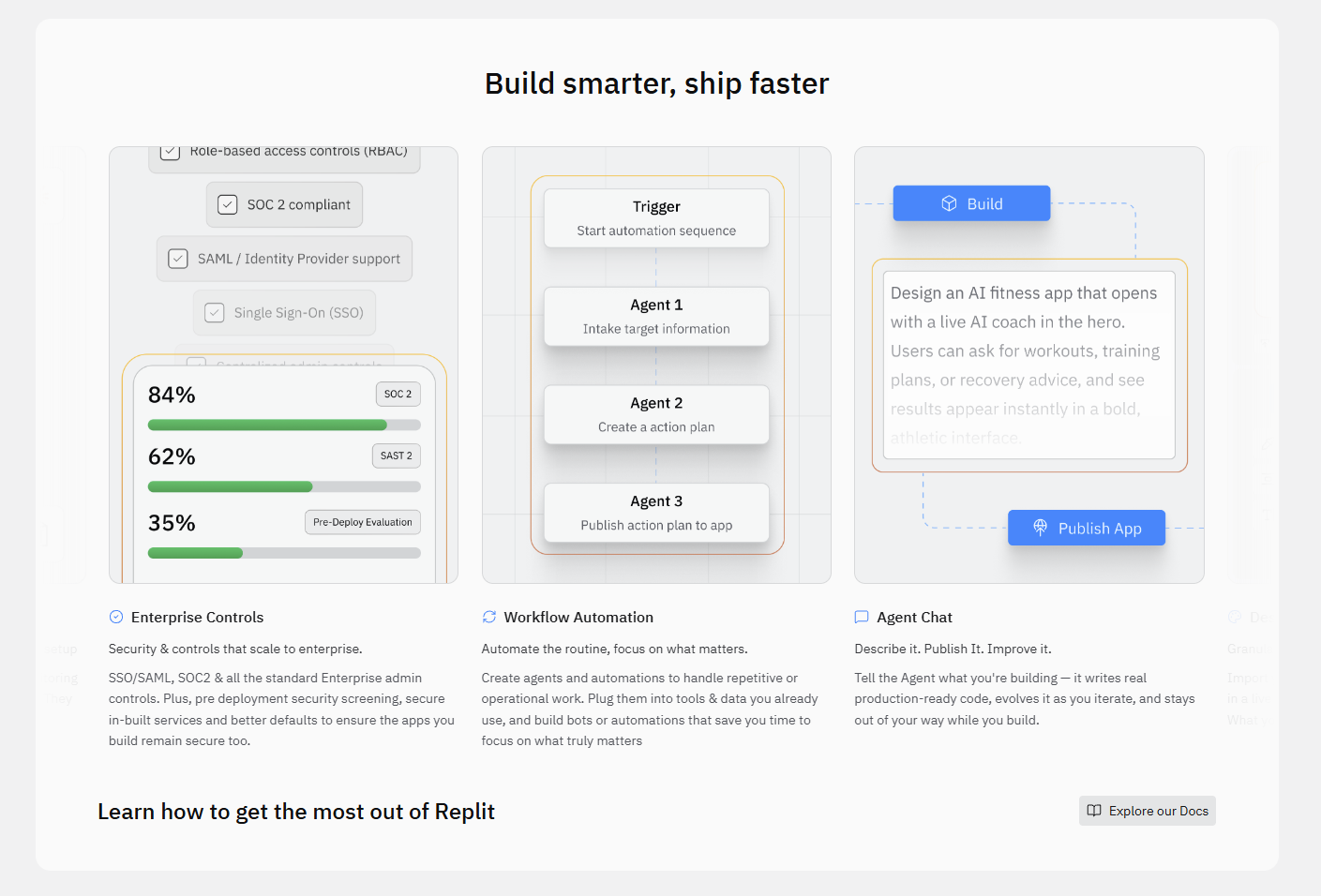
Consider these compelling benefits:
- Zero Setup Time: Launch a new Replit React project in seconds. Replit handles Node.js, npm, and all React dependencies automatically. No more `npm install` woes on your local machine.
- Instant Collaboration: Share your live React project with a single link. Your team can jump in, write code, debug, and even deploy your replit nextjs or React app together, in real-time.
- Always-On Hosting: Every Replit React application runs live on a public URL. This means continuous integration and instant feedback are built-in. Share progress with clients or friends immediately.
- Browser-Based Accessibility: Code from any device, anywhere. All you need is a web browser. This flexibility empowers remote teams and independent developers alike.
- Simplified Development Workflow: Focus purely on your React code. Replit abstracts away the infrastructure, letting you concentrate on building amazing user interfaces and features.
This powerful duo accelerates your development, fosters teamwork, and removes friction, making Replit React an outstanding choice for modern web projects.
Setting Up Your First Replit React Project
Starting a new Replit React project is incredibly straightforward. You will be up and running, ready to code, in mere moments. Replit automates most of the initial configuration, letting you bypass the usual setup hurdles.
Here’s the high-level process:
- Visit Replit.com and log in (or create an account).
- Click the "Create Repl" button.
- Choose the React template from the extensive list of language options.
- Give your project a descriptive name.
- Replit then provisions your workspace, installs necessary dependencies, and presents you with a ready-to-code React environment.
That’s it! You have successfully initiated your first replit react application. The next steps involve exploring the workspace and beginning your development journey.
Initializing a New React Template
Creating your Replit React project starts with selecting the right foundation. Replit offers specialized templates to kickstart your development immediately.
Follow these quick steps:
- On your Replit dashboard, find and click the "+ Create Repl" button. You usually see this in the top left or center of the page.
- A "Create a Repl" modal appears. In the search bar, type "React" or scroll through the popular templates.
- Select the official "React.js" template. Replit often highlights it.
- Provide a unique title for your project. Choose something clear and descriptive, like "MyFirstReactApp" or "ReplitReactPortfolio."
- Click "Create Repl."
Replit then generates a complete `replit react` development environment. It includes a basic React application structure, `package.json`, and all initial dependencies. You now have a functional React app ready for your modifications.
Exploring the Replit Workspace Layout
The Replit workspace provides an intuitive interface for developing your Replit React applications. Understanding its layout helps you navigate efficiently and utilize all available tools.
The main components you’ll encounter include:
- File Explorer (Left Sidebar): This pane lists all your project files and folders. You can create new files, organize existing ones, and easily jump between different parts of your `replit js` codebase.
- Code Editor (Center Pane): This is where you write your React components and logic. It offers syntax highlighting, auto-completion, and other features typical of a professional IDE.
- Console/Shell (Bottom Pane): This area houses the console output, displaying messages from your running application or `npm` commands. You also get a full Bash shell for running commands, managing packages, or interacting with your `replit web` environment directly.
- Web View/Output (Right Pane): For `replit react` projects, this pane acts as a live browser. It automatically displays your running React application. Any changes you save in the code editor often reflect here instantly, providing real-time feedback.
This organized layout ensures a productive and enjoyable coding experience.
Developing Components in Replit React
Crafting components forms the core of any Replit React application. Replit provides an excellent environment for building and organizing these modular pieces of your UI. You create functional or class components, defining their structure, behavior, and appearance.
Here’s how to approach component development:
- Create Component Files: In your file explorer, make a new folder (e.g., `src/components`) and create a `.js` or `.jsx` file for each component (e.g., `Button.jsx`).
- Define Component Structure: Write your React functional component, typically returning JSX. This JSX defines the HTML-like structure of your component.
- Manage Props: Pass data from parent components to child components using props. Destructure props at the top of your component function for clean access.
- Handle State: Use the `useState` hook for managing internal component state. This allows your components to be dynamic and interactive.
- Import and Export: Export your components from their files and import them into other files where you want to use them (e.g., `App.jsx`).
Replit’s live preview in the right pane gives you instant visual feedback as you build, making iterative component development with Replit React highly efficient.
Managing Dependencies and npm Packages
Efficient dependency management is vital for any modern Replit React project. Replit simplifies this process significantly, integrating npm (Node Package Manager) seamlessly into its environment.
Here’s how you handle packages in Replit:
- Automatic Installation: When you create a new Replit React project, Replit automatically installs the essential React and associated packages defined in your `package.json` file.
- Adding New Packages: You have two primary ways to add new dependencies:
- Through the Packages Tool: Replit features a dedicated "Packages" tab (often represented by a puzzle piece icon). Search for a package, and click to add it. Replit handles the `npm install` and updates your `package.json`.
- Using the Shell: For more control, open the shell (bottom pane) and run standard npm commands like `npm install your-package-name` or `npm i your-package-name –save-dev` for development dependencies.
- `package.json` File: Replit automatically updates your `package.json` file when you add or remove packages. This file lists all your project’s dependencies and scripts.
- Updating Packages: To update existing packages, you can use `npm update` in the shell or manually edit `package.json` and let Replit’s package manager re-sync.
This robust system ensures your replit js project always has the correct versions of all required libraries.
Debugging Your React Application in Replit
Debugging forms an indispensable part of developing robust Replit React applications. Replit provides several effective tools and techniques to help you pinpoint and resolve issues swiftly, ensuring your code functions as expected.
Leverage these methods for efficient debugging:
- Console Logs: The most common and direct approach. Use `console.log()` statements within your React components to output variable values, component states, or execution flow to Replit’s console (bottom pane). This helps track data through your application.
- Browser Developer Tools: Since your Replit React app runs in a live web view (or a separate browser tab), you can access standard browser developer tools. Right-click on your app in the web view and select "Inspect." Use the "Elements" tab to inspect your React components in the DOM, the "Console" tab for errors, and the "Sources" tab to set breakpoints.
- Replit’s Output Pane: This pane displays server-side logs and potential build errors. Keep an eye on it for warnings or errors related to your Node.js server or React compilation.
- Error Overlays: React itself provides helpful error overlays in development mode. If your replit js app crashes due to a React-specific error, Replit’s web view will display a clear error message with component stacks, guiding you to the problematic code.
Mastering these debugging techniques will significantly accelerate your development cycle and improve the quality of your Replit React projects.
Version Control and Collaboration Features
Building Replit React projects often involves teamwork and tracking changes. Replit excels in both areas, providing robust version control and real-time collaboration features that streamline your development process.
Version Control:
- Replit History: Every change you make gets automatically recorded in Replit’s "History" tab (often an icon resembling a clock or scroll). You can browse past versions of your code, revert to previous states, and compare changes with ease. This acts as a safety net for your replit js projects.
- Git Integration: For more advanced version control, Replit fully integrates with Git and GitHub. You can initialize a Git repository, commit changes, push to remote repositories, and pull updates directly from within the Replit shell or its dedicated Git panel. This is perfect for managing larger replit nextjs or React projects with multiple contributors.
Collaboration:
Replit transforms coding into a shared experience.
- Real-time Multiplayer: Invite collaborators to your `Replit React` project with a simple link. See their cursors move, watch them type, and develop together live. It’s like Google Docs for code.
- Integrated Chat: Discuss code, share ideas, and resolve issues without leaving the IDE using the built-in chat function.
- Shared Environment: Everyone works in the same cloud environment. This eliminates "it works on my machine" problems, ensuring consistent behavior for your replit web application across all collaborators.
These features make Replit React an ideal platform for educational purposes, hackathons, and professional team development.
Deploying Your Replit React App to Production
One of the most appealing aspects of developing with Replit React is the incredible ease of deployment. Moving your application from development to a live, publicly accessible website is a frictionless process. Replit handles the complexities of hosting, letting you focus on your code.
Your Replit project is essentially always "deployed" in a basic sense, running on an ephemeral server. However, for production-grade hosting and custom domain usage, Replit offers specific functionalities.
Here’s how Replit streamlines getting your Replit React app live:
- Your project automatically gets a unique `replit.dev` URL as soon as it runs. This acts as your initial public preview.
- For more persistent, production-ready hosting, Replit provides "Always On" functionality (often part of paid plans) that keeps your server running constantly.
- Integrating custom domains takes your replit web app to the next level, branding it professionally.
Simple Hosting Options
Replit makes sharing your Replit React applications incredibly easy. Every project you create automatically comes with a basic, but fully functional, hosting solution right out of the box.
Consider these simple hosting features:
- Instant Live URL: As soon as your `replit js` application runs successfully, Replit assigns it a unique public URL (e.g., `your-app-name.your-username.replit.dev`). Share this link with anyone, and they can immediately access your live application.
- Automatic Updates: When you save changes to your `Replit React` code, Replit often rebuilds and updates the running application automatically. This means your shared URL always reflects the latest version of your work without manual deployment steps.
- Ephemeral Hosting: For hobbyist or free-tier users, your app will stop running after a period of inactivity. It will restart when someone visits the URL again or you manually run it.
This "instant publish" capability is perfect for quick demos, showcasing portfolio projects, or getting immediate feedback on your replit web experiments.
Custom Domain Integration
Elevate your Replit React application beyond a simple `replit.dev` URL by integrating a custom domain. This feature gives your project a professional edge, making it more memorable and brand-aligned.
The process generally involves these steps:
- Purchase a Domain: Acquire your desired domain name from a domain registrar (e.g., GoDaddy, Namecheap).
- Access Replit’s Domain Settings: Within your `Replit React` project, navigate to the deployment or settings section. Look for an option related to "Custom Domains."
- Add Your Domain: Input your custom domain name into Replit’s interface.
- Update DNS Records: Replit will provide you with specific DNS records (usually "A" records or "CNAME" records) that you need to add to your domain registrar’s DNS management panel. These records point your domain to Replit’s servers.
- Verify and Connect: After saving the DNS changes (which can take some time to propagate globally), Replit will verify the connection. Once successful, your `replit web` application will be accessible via your custom domain.
Using a custom domain ensures your Replit React project looks polished and professional to your audience.
Advanced Tips for Replit React Performance
Optimizing your Replit React application for performance ensures a smooth user experience, even for complex projects. While Replit handles the environment, you control your code’s efficiency. Implement these advanced tips to make your app lightning-fast.
- Memoization with `React.memo()` or `useMemo()`: Prevent unnecessary re-renders of functional components or expensive calculations. Wrap components with `React.memo()` to only re-render if props change. Use `useMemo()` to memoize computed values, recalculating only when dependencies change.
- Lazy Loading Components: Employ `React.lazy()` and `Suspense` to code-split your `Replit React` application. This loads components only when they are needed, reducing the initial bundle size and improving the time to interactive.
- Virtualization for Large Lists: For displaying thousands of items, use libraries like `react-window` or `react-virtualized`. These libraries only render the visible items, drastically cutting down on DOM nodes and rendering time.
- Optimize Image Assets: Serve appropriately sized images, use modern formats like WebP, and implement lazy loading for images. Large images significantly impact page load times, especially in `replit web` deployments.
- Profile Your Application: Use the React Developer Tools (available in your browser’s inspect pane) to profile component renders. This helps identify bottlenecks and components that re-render too frequently in your Replit React project.
Applying these techniques will significantly enhance the speed and responsiveness of your Replit React applications.
Integrating APIs and External Services
Dynamic Replit React applications often require fetching data or interacting with external services. Replit provides a seamless environment for integrating various APIs, whether they are public, private, or your own custom backends. This connectivity empowers your `replit js` projects to be truly data-driven and interactive.
Here’s how to approach API integration:
- Fetching Data: Use JavaScript’s built-in `fetch` API or a library like `Axios` to make HTTP requests from your React components. Trigger these requests within `useEffect` hooks, ensuring data loads after the component mounts.
- Handling Asynchronous Operations: Always manage the loading, success, and error states of your API calls. Display loading indicators to users and implement robust error handling.
- Environment Variables: Store sensitive API keys or base URLs using Replit’s "Secrets" feature. This keeps your credentials secure and out of your public code. Access them in your `Replit React` app using `process.env.YOUR_SECRET_NAME`.
- CORS Considerations: Be mindful of Cross-Origin Resource Sharing (CORS) policies when integrating APIs. If your API is on a different domain, you might need to configure it to allow requests from your Replit app’s domain.
- Proxying Requests (Optional): For complex scenarios or to bypass CORS issues, you could set up a simple Node.js proxy within your Replit project to forward requests to the external API. This works well for replit nextjs projects too.
With these methods, your Replit React application can easily consume and present data from any external source.
Common Challenges and Solutions with Replit React
Even with the streamlined nature of Replit React, developers sometimes encounter specific challenges. Knowing these common hurdles and their solutions helps you maintain a smooth development flow and keeps your projects on track.
Challenge: Dependency Installation Issues
Problem: A package fails to install, or your `package.json` gets out of sync.
Solution: Open the Replit shell. Try `npm install` to re-install all dependencies. If issues persist, delete the `node_modules` folder and `package-lock.json` (or `yarn.lock`), then run `npm install` again. Ensure your `replit js` environment has enough resources if dealing with very large projects.
Challenge: Environment Variable Access
Problem: Your `process.env.VAR_NAME` is undefined in your React code.
For React projects, environment variables often need a special prefix like `REACT_APP_` to be accessible in the client-side bundle. Make sure you’ve defined them in Replit’s ‘Secrets’ tab and restarted your `Replit React` project after adding them.
Challenge: Slow Loading/Performance
Problem: Your `replit web` application feels sluggish.
Solution: This often relates to asset size. Optimize images, implement code splitting, and use `React.memo()` or `useCallback()` for performance gains. Check the browser’s developer console for network requests that might be taking too long.
Challenge: Web View Not Updating
Problem: Changes in your code aren’t reflecting in the preview pane.
Solution: Ensure your app is actually running. Sometimes a manual "Run" click is needed. Check the Replit console for build errors that might prevent the app from compiling correctly. Force refresh the web view pane or open the app in a new browser tab.
Building a Portfolio Project with Replit React
A strong portfolio project showcases your skills and passion for web development. Replit React provides an unparalleled platform for building, hosting, and sharing these crucial projects effortlessly. Leverage its capabilities to create impressive applications that stand out to potential employers or clients.

Here’s why Replit is ideal for your portfolio and how to approach it:
- Instant Start: Skip the environment setup. Jump straight into coding your `Replit React` project ideas immediately. This means more time building, less time configuring.
- Collaborative Development: Want feedback from a mentor or friend? Invite them to your Replit project. They can see your code, suggest changes, or even contribute directly, enhancing your learning experience.
- Live Demos: Every `Replit React` project gets a live URL. This provides an instant, shareable demo of your work. Embed these links in your resume, LinkedIn profile, or personal website.
- Diverse Project Ideas:
- Interactive Todo List: A classic, but you can add advanced features like drag-and-drop, local storage, or category filtering.
- Recipe Finder: Integrate an external API (like Spoonacular) to fetch recipes based on user input.
- Simple E-commerce Store: Build product listings, a shopping cart, and mock checkout functionality.
- Personal Blog/Portfolio Site: Design and develop your own site using `Replit React`, showcasing your skills while creating the project itself.
- Mini-Game: Create a simple game like Tic-Tac-Toe, memory matching, or a quiz application.
- Showcase Clean Code: Utilize Replit’s features for organizing your components, managing dependencies, and ensuring your replit js codebase is clean and well-structured.
Start building your next impressive portfolio piece with Replit React today and make your mark.
The Future of Cloud-Native React Development
The landscape of software development continuously shifts, and cloud-native solutions like Replit React increasingly define its future. This paradigm empowers developers with unprecedented speed, accessibility, and collaborative power, moving away from traditional local setups.
Consider these aspects shaping the future:
- Ubiquitous Accessibility: Coding will become truly device-agnostic. Access your `Replit React` projects from any computer, tablet, or even smartphone, fostering development anytime, anywhere.
- Enhanced Collaboration: Real-time multiplayer coding will evolve further, integrating advanced communication and project management tools directly into the IDE. This will make distributed teams even more efficient for `replit nextjs` or React applications.
- Instant Deployment & Scaling: Cloud platforms will continue to abstract away deployment complexities, offering immediate global distribution and automatic scaling for `replit web` applications, handling traffic spikes effortlessly.
- Integrated AI Assistance: AI will play an increasingly significant role, providing smarter code suggestions, automated debugging, and even generating boilerplate code, accelerating `Replit React` development cycles dramatically.
- Framework Agnosticism: While React remains dominant, cloud IDEs will seamlessly support a wider array of frameworks and languages, allowing developers to switch contexts easily without local reconfigurations.
- Sustainable Development: Centralized cloud resources can be managed more efficiently, potentially reducing the energy footprint compared to countless local development environments.
Platforms like Replit are not just tools; they represent a fundamental shift in how we approach building `Replit React` and other applications, promising a more inclusive, efficient, and innovative future for developers worldwide.
Replit React: Best Practices for Clean Code
Writing clean, maintainable code is crucial for any project, especially when collaborating or revisiting your work later. Adopting best practices for your Replit React applications ensures readability, reduces bugs, and streamlines future development efforts. Implement these guidelines to elevate the quality of your `replit js` projects.
- Consistent Naming Conventions: Use PascalCase for component names (e.g., `MyComponent.jsx`) and camelCase for functions and variables. Keep prop names descriptive.
- Small, Focused Components: Break down your UI into the smallest possible reusable components. Each `Replit React` component should ideally have one responsibility, making it easier to test and understand.
- Prop Types or TypeScript: Define the expected types for your component props. This catches type-related errors early, improves documentation, and enhances developer experience. For `replit nextjs` or larger projects, consider TypeScript for stronger type safety.
- Use Functional Components and Hooks: Prefer functional components and React Hooks (`useState`, `useEffect`, `useContext`) over class components. They offer a more concise and often clearer way to manage state and side effects.
- Avoid Direct DOM Manipulation: Let React manage the DOM. If you need to interact with the DOM directly, use `useRef` and its `current` property carefully.
- Organize Files Logically: Group related files together. A common structure involves a `src` folder with subfolders like `components`, `pages`, `utils`, and `hooks`. This makes navigating your `replit web` project much simpler.
- Write Meaningful Comments: Explain complex logic or design decisions, but avoid commenting on obvious code. Comments should clarify "why" something is done, not "what" it does.
- Linting and Formatting: Utilize tools like ESLint and Prettier. While Replit’s editor provides some formatting, integrating these tools ensures consistent code style across your `Replit React` codebase.
By following these best practices, you create `Replit React` applications that are robust, easy to maintain, and a pleasure to work with.
Frequently Asked Questions
What is Replit React?
Replit React is the combination of Replit’s cloud-based IDE with the React.js library, offering a seamless environment to build, run, and deploy dynamic web applications directly in your browser without complex local setups.
What are the main benefits of using Replit with React?
Key advantages include zero setup time, real-time collaboration with instant sharing, always-on cloud hosting, browser-based accessibility from any device, and a simplified development workflow that lets you focus on coding.
How do I set up a new Replit React project?
To start, visit Replit.com, log in, click “Create Repl,” select the “React.js” template, give your project a name, and Replit will automatically provision your workspace with all necessary dependencies.
How does Replit support team collaboration on React projects?
Replit offers real-time multiplayer coding, allowing multiple users to work on the same project simultaneously, see cursor movements, and use an integrated chat. It also provides built-in version control and Git integration for shared development.
Can I deploy my Replit React application to a custom domain?
Yes, Replit allows integration with custom domains. After purchasing a domain, you can configure DNS records within Replit’s settings to point your professional domain to your live Replit React application.